![Halda Logo Black Tight-2.svg]](https://info.halda.ai/hubfs/Halda%20Logo%20Black%20Tight-2.svg)
Installing the Halda script on your website allows Halda to begin collecting engagement data and delivering personalized experiences.
If you do not have access to adjust the script in your CMS (Content Management System), you may need to request assistance from a member of your web team.
Step-by-Step Instructions
-
Copy the Halda Script
Log in to your Halda account and navigate to Account Settings. Copy the script provided for your account.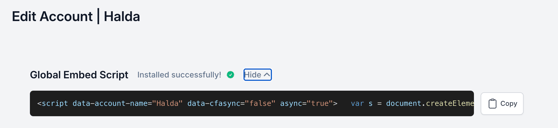
-
Paste the Script into Your Website’s
<head>Tag
Add the script directly into the<head>section of your website’s HTML. -
Save and Publish
Save your changes and publish or deploy your website updates.
Avoid installing the script via Google Tag Manager (GTM). A native installation in your CMS helps ensure ad blockers do not prevent the Halda script from firing properly.
If you have questions or want to confirm the installation, contact your account manager for support.