![Halda Logo Black Tight-2.svg]](https://info.halda.ai/hubfs/Halda%20Logo%20Black%20Tight-2.svg)
Configuration Screen
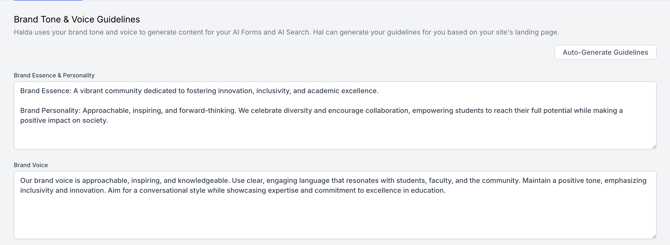
Brand Tone and Voice Guidelines
Halda uses your brand tone and voice to generate content for your AI Forms and AI Search. You can automatically generate guidelines based on your website content by clicking the "Auto-Generate Guidelines" button.
This section is broken down into four different aspects of brand tone and voice: Brand Essence & Personality, Brand Voice, Tone: Language & Vocabulary, and Messaging Examples. We recommend providing content for each for these sections.
AI Search Source Domain
Input the main domain for your campus. This ensures that the information presented to students will be pulled from on-site webpages. This will also influence the URLs that are shown as search results below the AI summary. If there are several domains you would like the AI to be able to use, you can use the "Add Domain" button to provide multiple source domains.

Excluded URL Paths
Exclude URL paths that you know you do not want to be referenced when generating responses. The most common use case for this would be if you are only using Halda's tools for prospective Graduate students and you want to ensure no information from Undergraduate pages is pulled. For more information on configuring excluded URLs, check out this article.

Account Name Configuration
The account name is used when we search for information to provide context to the AI. For example, if a student asks "How much is tuition?", we will search for "How much is tuition at Palmer State University ".
Override this value only if you need to use a different name than your institution's official name for search purposes.

Customized Failed Response
Customize the response that AI Search provides when it can't find an answer to a student's query. You can use our "Generate Suggestion" button to automatically create a failed response. If you do not input a failed response, the following response will be used:
"The assistant was unable to find the answer to your query. Please try again by rephrasing your question to be more specific."

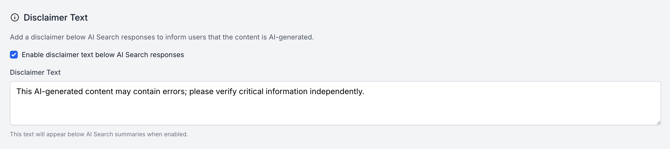
Disclaimer Text
Add a disclaimer below AI Search responses to inform users that the content is AI-generated. To activate the disclaimer, click the checkbox and customize the disclaimer text. If you do not input disclaimer text, the following will be used:
"This AI-generated content may contain errors; please verify critical information independently."
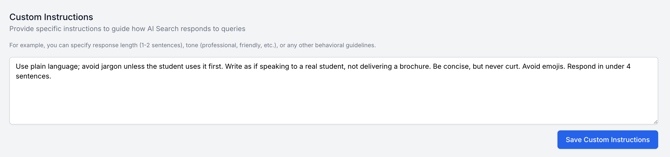
Custom Instructions
Provide specific instructions to guide how AI Search responds to queries. For example, you can specify response length (1-2 sentences), tone (professional, friendly, etc.), or any other behavioral guidelines.
We recommend using the custom instruction section to ensure that AI responses are in line with the guidelines you provide to admissions counselors.
If you are serving more than one student population, we recommend leaving custom instruction empty and opting to provide custom instructions on the segment level.
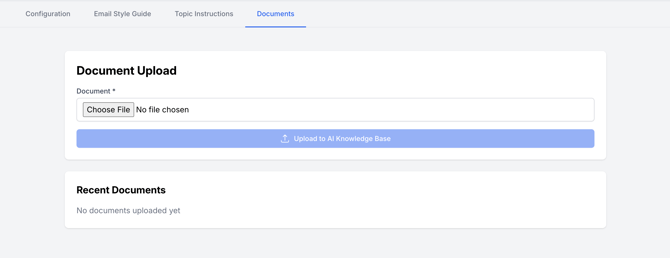
Upload Documents
If there is documentation that is not available on your website that you would like Halda's AI agent to have access to when generating responses, upload those in the "Documents" section of the AI Knowledge Base.
Email Style Guide
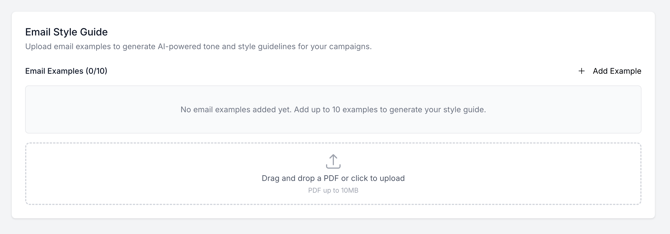
The email style guide tells Halda how your school sounds. It's where you set the voice, tone, and writing conventions your AI Campaign Agent uses when it drafts and sends emails to prospective students.
Upload up to 10 examples of emails that you have previously sent to demonstrate the visual and tone guide Halda's Campaign Agent should reference during email generation.
Topic Instructions
Topic instructions tell your agent what to say. Where the style guide controls voice, topic instructions control content — the specific guidance, talking points, and approved language for a single subject like financial aid, campus visits, application deadlines, or a specific academic program.
Topic Instructions can be set to a verbatim response if there should always be a consistent response to a question. Other topic instructions inform the information shared while allowing for Halda's AI to help make the response customized to the student asking the question.
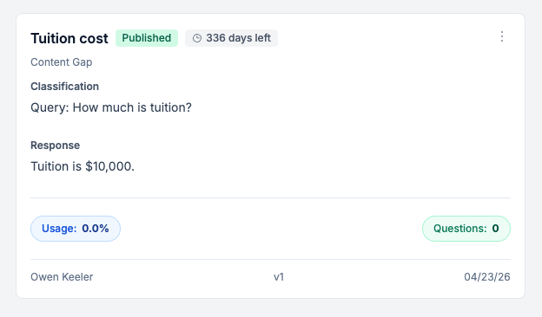
For more information on how to configure Topic Instructions, check out this article.
If you have any questions, reach out to your Partner Success Consultant.